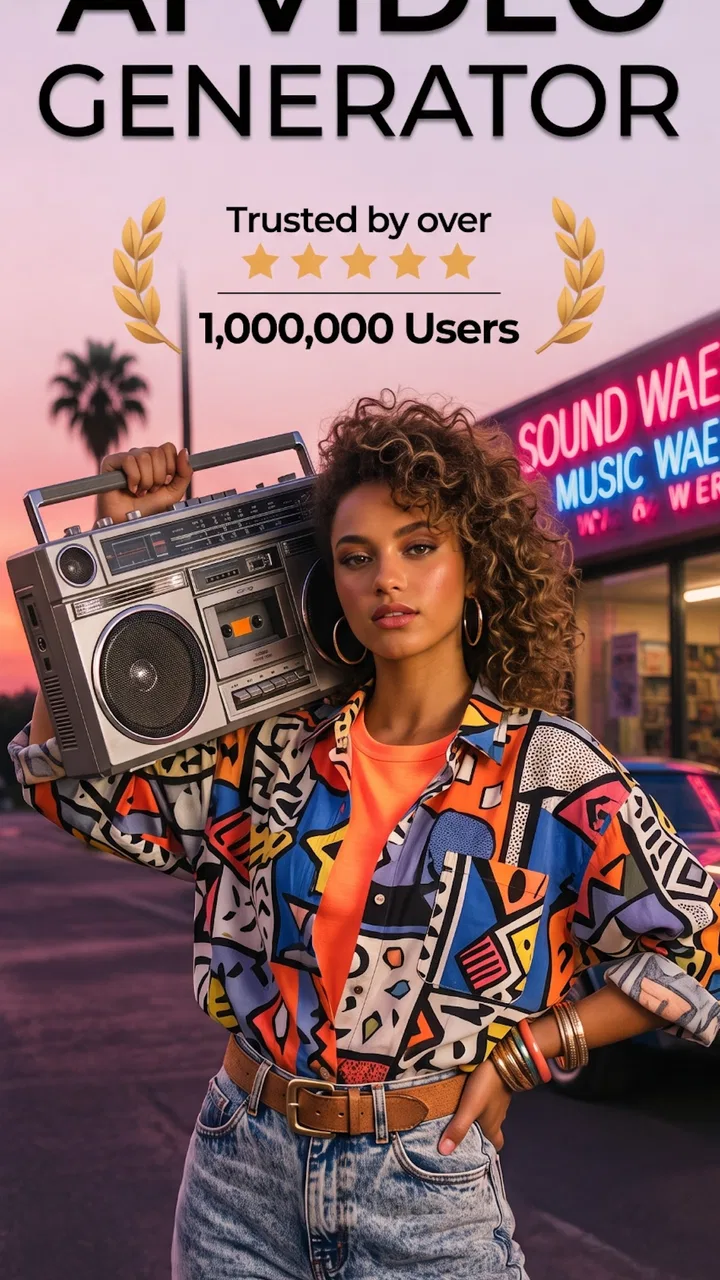
Umagic: AI Video Generator
- 4.8
- Rating
- 1.00M
- Installs
- Free
- Price

 Analysis by App-foxy
Turning a quick idea into an image or short video is exactly the kind of task that sounds simple until you try to do it on a phone. I tested Umagic: AI Video Generator as a creative tool for those moments, and I found its appeal in the speed of the process: you describe an idea or start with a photo, then let the app transform that starting point into something more stylized. It is aimed at casual creators rather than people looking for a full desktop editing suite, and that distinction matters from the first use.
Created by Daily Joy Studio, this free Art & Design app has a 4.7 average from around 27 thousand ratings and has passed one million installs. Those figures suggest that it has found a comfortable audience among people who want quick visual experiments without learning a complicated timeline editor. I can understand that appeal. The app feels most useful when I want to explore a visual direction, make a shareable clip, or give an ordinary picture a more imaginative treatment without spending an afternoon inside professional software.
How the creative workflow feels on a phone
The central experience is based on words and photos. A text idea can act as the starting point for an original visual, while an existing picture gives the process something concrete to reinterpret. That makes the app more flexible than a simple filter collection. I can begin with a vague concept, such as a dreamy landscape or a more dramatic portrait mood, or use a personal image when I already know what I want to change.
You May Also Like

 Blood Strike: 2.5 Anniversary
Blood Strike’s Loadouts Turn Every Drop Into a Tactical Gamble
A close look at Blood Strike’s custom loadouts: how fast access to signature weapons reshapes its battle royale rhythm, rewards preparation, and narrows the gap between fights.

 Pandora - Music & Podcasts
Pandora’s Music Is Easy to Start, but Harder to Recover
Pandora’s strength is its low-effort path from a seed to a station. Its weak spot is how much confidence it asks you to place in connection, setup, and quiet recovery.

 8 Ball Pool
 Is Built on Rivalries, Rematches, and Routine
A close look at the rivalries, rematches, shared routines, and unanswered safety questions that turn a quick pool match into a persistent mobile community.

 Samsung Music
’s Quiet Strength Is Playing What You Already Own
Its reach comes less from spectacle than from dependable access to a personal library. That simplicity is both the app’s strongest retention engine and its ceiling.

 AccuWeather: Weather Radar
AccuWeather Review: A Quick, Clear Forecast for Everyday Decisions
For everyday plans, the best forecast is the one you can understand quickly. AccuWeather makes rain timing, radar, and local conditions easy to act on, with a few trade-offs.

 Hill Climb Racing
Why Hill Climb Racing Still Turns Crashes Into One More Run
A tiny car, a bumpy hill and one more upgrade: Hill Climb Racing keeps resurfacing because its simple chaos makes every near-miss feel personal.
More From Our News Desk



What I like about this approach is that it lowers the cost of experimentation. In a conventional drawing app, I need to make many decisions before anything looks finished: brush choice, layers, composition, color, and export settings. In a traditional video editor, I need clips, cuts, transitions, and a clear plan. Here, the first step is closer to describing an intention. That is liberating for beginners, although it also means the result depends heavily on how clearly the idea is expressed and how well the generated interpretation matches it.
I would not treat every output as final artwork. The strongest use is often as a starting point: a visual for a social post, a mood reference, a playful variation of a family photo, or a concept that I can refine elsewhere. AI-generated results can be attractive while still containing details that feel slightly off. Faces, hands, text inside an image, and precise object placement are the areas where I would inspect the result carefully before sharing it publicly.
The app is particularly approachable for someone who has never opened a design program. Its focus is narrower than a professional editor, and that is a benefit when the goal is immediate creativity. I do not have to build a project from multiple technical parts before seeing an idea take shape. The trade-off is control: a designer who needs exact typography, repeatable brand colors, carefully aligned elements, or frame-by-frame timing will probably reach the limits of this workflow quickly.
Why the internet connection changes the experience
The most important practical point is that this kind of generative work is not comparable to applying a basic phone filter. The app has to process a prompt or photo into a new result, so network conditions become part of the experience. When the connection is stable, the process feels natural: I enter an idea, submit it, and wait for the visual result. When the connection is weak, the waiting becomes more noticeable because the creative loop is interrupted between the request and the preview.
This matters most when I am using the app spontaneously. If I am sitting at home with a reliable connection, I can try several variations without thinking much about the network. On a train, in a crowded venue, or in a building with patchy reception, I would be more cautious about starting a long creative session. The app is best approached as a connected creation service rather than as a self-contained sketchbook that I can depend on in every location.
A realistic everyday example would be preparing a birthday message while away from my desk. I might take a photo, try a more colorful or cinematic interpretation, and use the result as a visual greeting. That can be a pleasant use of a few spare minutes, but only if I have enough connectivity to send the image for processing and receive the result. If the signal is unreliable, I would first save the original photo and write down the idea, then return to the generation step when the connection is dependable.
Another useful scenario is planning content for a small social account. I can use the app to explore several moods before deciding on a direction. The network requirement encourages me to batch that work instead of repeatedly opening the app throughout the day. I would collect source photos and prompts first, then work through them during one stable session. That simple habit reduces frustration and makes the process feel more deliberate.
Mobile convenience, with mobile limitations
Using a phone changes what I expect from a creative app. I want to capture a photo, test an idea, and make a decision without moving files between devices. Umagic fits that impulse well because its starting points are naturally mobile: a camera image, a picture already in the gallery, or a thought typed while inspiration is still fresh.
The compact format is also useful for people who create casually rather than professionally. A student can explore an illustration idea, a traveler can make a stylized version of a landmark photo, and a small business owner can brainstorm a visual theme before paying for a polished design. In each case, the app works as an idea generator as much as an editing tool.
However, phone convenience should not be confused with complete production control. A small screen makes it harder to compare multiple versions closely, check tiny artifacts, or judge whether a generated composition will work in a larger format. I would use the phone to discover and select an idea, not necessarily to manage every stage of a serious campaign.
There is also a difference between creating for personal enjoyment and creating for publication. For a private experiment, a slightly strange detail can be part of the fun. For a business post or client project, I would inspect every visible element and keep the original source available. If the generated output is only one step in a larger workflow, the app is more valuable than if I expect it to replace a designer, editor, and proofreader at once.
Android users should note that the current version is 1.12.0 and requires Android 9 or later. That is a reasonable compatibility range for many phones, but anyone using an older device should check compatibility before planning around it. The app is also rated for Everyone, which makes its general positioning accessible to a broad audience, though parents should still remember that generated results depend on the prompts and images a user chooses.
What to do when a generation goes wrong
Creative apps are judged not only by their best results but also by how manageable the disappointing ones feel. With an AI workflow, an unsuccessful output is not unusual. The prompt may be too broad, the image may not provide enough visual information, or the interpretation may simply move in a direction I did not expect. My first response is not to repeat the same request immediately. I make one meaningful change at a time.
For text prompts, I find it more useful to describe the subject, mood, setting, and visual treatment separately than to pile up a long string of decorative adjectives. If the result is too vague, I add concrete context. If it is too busy, I remove competing ideas. This does not guarantee a perfect result, but it makes the next attempt easier to evaluate.
Photo-based work benefits from choosing a clear source. A well-lit image with an obvious subject gives the transformation a better foundation than a dark, crowded snapshot. I would also keep the original untouched. That is basic advice, but it becomes especially important when the app is being used quickly on a phone and the generated version looks more exciting than the source.
Connectivity failures deserve their own preparation. If a request stalls or the result does not appear promptly, I avoid tapping repeatedly, especially when I am unsure whether the first request was accepted. I check the connection, wait, and then try again with a clear record of what I submitted. Saving prompts in a notes app is a small but valuable habit because it prevents me from losing a good idea during a failed session.
I would also plan for the possibility that a result needs to be recreated later. Instead of relying on memory, I keep the source photo and the wording of the prompt together. This makes recovery less painful if I change networks, close the app, or decide that a different version is worth testing. The workflow is much smoother when I treat each generation as an experiment that should be documented, not as a one-time button press.
Using it without wasting mobile data
Because the app works with photos and videos, data-conscious use is sensible. I would avoid starting a large batch of experiments on cellular data unless I already know how much of my allowance I am comfortable using. A practical routine is to prepare prompts and select source images offline in advance, then open the app when I have a stronger connection. This does not claim that the app itself works without internet; it simply separates planning from the connected generation step.
Source-image size is another consideration. I would use the clearest image that serves the purpose, but I would not send unnecessary duplicates or repeatedly upload the same photo while changing only a minor word in the prompt. A little planning can reduce both waiting and data use. It also keeps the creative process focused instead of turning it into a series of nearly identical attempts.
Privacy deserves attention whenever personal photos are involved. I would be comfortable experimenting with non-sensitive images first, then think carefully before using pictures containing private documents, children, other people, or identifiable locations. The app’s creative appeal should not remove ordinary caution about what I choose to upload. For a business, I would also make sure that the team has agreed on which images are appropriate for an AI service before using client material.
The free price makes trying the app easy, but free access does not mean every use is cost-free. In-app purchases range from $0.99 to $64.99 per item, so I would check the purchase screen carefully before confirming anything. This is especially important during enthusiastic experimentation, when it is tempting to keep generating variations because the process is enjoyable. I recommend deciding in advance whether I am only testing the free experience or whether a paid option genuinely saves enough time to justify it.
Who should choose it, and who should look elsewhere?
I would recommend Umagic to casual creators who want a fast bridge between an idea and a visual result. It is a good fit for someone who enjoys trying styles, needs inspiration for a post, wants to transform a personal photo, or prefers guided generation over drawing from a blank canvas. Its strongest quality is immediacy: I can begin with words or an image instead of mastering a long list of editing tools.
It is also useful for people who feel blocked at the beginning of a project. A generated image can provide a direction even when it is not the final piece. That makes the app valuable as a brainstorming partner. I can discover a color mood, composition, or atmosphere that I would not have considered, then use that discovery in another program or in a handmade design.
I would skip it if I need precise, repeatable results. Brand designers, illustrators who require clean control over every shape, and video editors who depend on exact timing will likely prefer conventional tools. Those alternatives may take longer to learn, but they offer more predictable control. I would also choose a regular editor when the task is simply trimming a clip, adding accurate captions, or arranging known assets; AI generation would add unnecessary uncertainty to a straightforward job.
The app is less suitable for someone who frequently works in places with unreliable connectivity. Since the creative loop depends on sending an idea or photo for processing and receiving a result, poor reception can turn a quick experiment into a frustrating stop-and-start process. In that situation, a local drawing app or standard photo editor may be the better companion, with Umagic reserved for connected sessions.
Compared with basic filter apps, it offers a more exploratory relationship with the source material. A filter usually applies a defined visual treatment, while this app invites me to describe what I want or reinterpret a photo more broadly. Compared with professional design software, it is faster to start but less exact. That middle ground is its identity, and I think it is important to judge it by that standard rather than expecting either a one-tap filter or a complete studio.
My final view after using the connected workflow
The best way to use Umagic is as a mobile idea laboratory, not as a replacement for every creative tool. I enjoy it most when I have a clear but flexible goal: explore a mood, make a playful variation, or turn a rough concept into something I can react to. The ability to begin with text or a photo keeps the barrier low, and the free entry point makes it reasonable to test whether the style suits me.
Its limitations become clear when I need certainty, detailed correction, or dependable use away from a network. The quality of a result can vary, prompts may need several thoughtful attempts, and paid items require attention so that casual experimentation does not become an accidental expense. Those are not reasons to dismiss it; they are reasons to use it with a realistic workflow.
Daily Joy Studio has positioned this app for quick visual creativity, and the broad audience around it makes sense. With its Everyone content rating, Android 9 minimum, and current 1.12.0 release, it is accessible to many mobile users. I would keep the original files, prepare prompts before going online, inspect results closely, and use a stable connection for actual generation. If that sounds like a reasonable trade-off, Umagic is worth trying for imaginative, low-pressure visual experiments. If I need offline reliability or professional precision, I would reach for a different kind of app instead.
FAQs for Umagic: AI Video Generator
01What is Umagic: AI Video Generator and what can it do?
Umagic: AI Video Generator is an AI-powered creative app designed to turn written prompts, images, or ideas into short videos and visual effects. After testing its workflow, the main appeal is how quickly it can produce stylized content without requiring traditional editing skills. It may be useful for social media posts, concept videos, animated images, marketing ideas, and experimenting with different AI-generated visual styles.
02How do you create a video with Umagic?
Creating a video generally involves selecting an available generation tool, entering a descriptive prompt or uploading an image, choosing a visual style or effect, and starting the rendering process. For better results, prompts should clearly describe the subject, movement, atmosphere, camera perspective, and desired style. Generation time and output quality can vary depending on the selected feature, server demand, and the complexity of the request.
03Is Umagic: AI Video Generator free to use?
Umagic may allow users to try certain tools or create limited content for free, but advanced features, additional generations, higher-quality exports, or faster processing can require credits or a paid subscription. Before downloading or subscribing, users should carefully review the current pricing, trial conditions, renewal terms, and cancellation policy shown in the app store or inside the application, since these details can change.
04Does Umagic work well for professional or commercial video projects?
Umagic can be helpful for brainstorming, social media content, visual prototypes, short promotional clips, and quick creative experiments. However, AI-generated videos may include unexpected motion, inconsistent details, visual artifacts, or limitations in duration and resolution. Anyone planning to use the results commercially should also check Umagic’s current licensing terms, especially regarding generated content, copyrighted inputs, recognizable people, logos, and commercial distribution.
05What should users know about privacy and uploaded content in Umagic?
Users should review Umagic’s privacy policy before uploading personal photos, customer materials, confidential designs, or images of other people. AI video services commonly process uploaded files and prompts on remote servers to generate results, so it is important to understand how long content may be stored, whether it can be used for service improvement, and how deletion requests are handled. Avoid uploading sensitive content unless the terms provide suitable protection.
Pros
- Creates engaging videos from simple text prompts.
- Offers AI-powered effects
- transitions
- and visual styles.
- Useful for social media creators and short-form content.
- Reduces editing time for users without video experience.
- Supports quick experimentation with multiple creative ideas.
Cons
- Generated results may not always match the prompt accurately.
- Advanced features may require a paid subscription.
- Video processing can be slow on older or weaker devices.
- Output quality may vary depending on the selected style.
- Some AI-generated visuals can appear repetitive or unnatural.

Umagic: AI Video Generator
Gallery